By Marcel Czuryszkiewicz, Founder @ bundle.social Building & shipping social tools since 2024. I’ve integrated every major platform’s API so you don’t have to fight their docs alone.

TL;DR

  • What is it? The TikTok API lets you programmatically upload videos and images to TikTok—but it’s painful to implement yourself.
  • The Problem: OAuth flows, token refreshing, polling for status, rate limits, and a weeks-long approval process.
  • The Solution: Use a unified API like bundle.social that handles all the complexity with one endpoint.
  • Result: Upload to TikTok (+ 13 other platforms) with a single API call.

Why TikTok Video Upload Automation is Hard

If you’ve searched for “tiktok api upload video” or “auto upload video tiktok,” you’ve probably discovered that TikTok doesn’t make it easy:
  1. App Approval Hell – TikTok requires a video walkthrough of your app. Expect 1-4 weeks.
  2. OAuth Complexity – Managing tokens, refresh flows, and scopes for each user.
  3. Polling Required – TikTok doesn’t return the post ID immediately. You have to poll.
  4. Rate Limits – Hit them too hard and you’re in timeout.
  5. Business Accounts Only – Personal accounts can’t use the API.
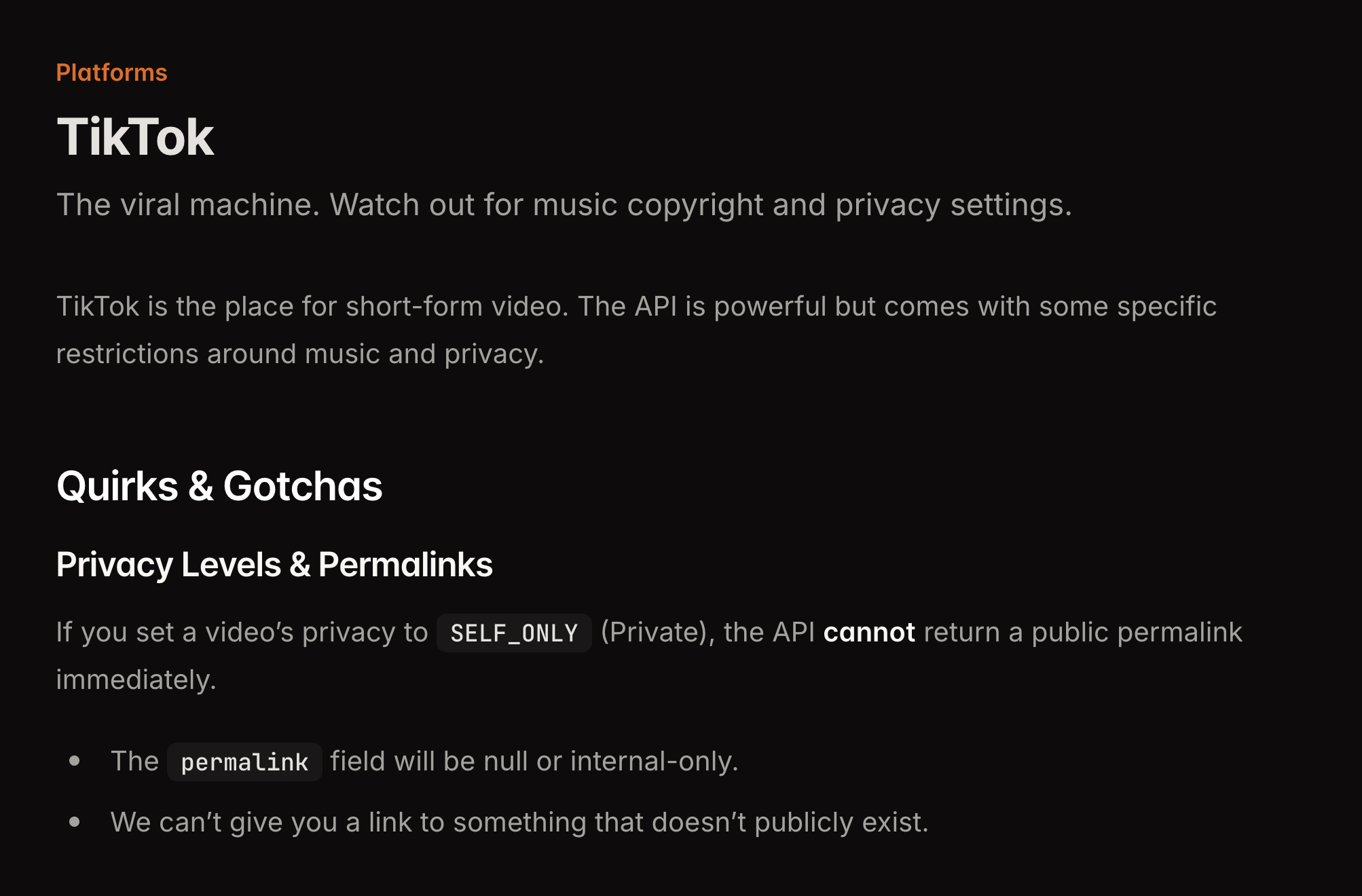
The reality: Most developers spend 40-80 hours building a TikTok integration. Then they have to maintain it. TikTok API Documentation - Quirks and Gotchas

The Smarter Way: One API for TikTok + 13 Other Platforms

At bundle.social, we’ve already done the hard work. Our unified API lets you upload videos to TikTok with a single request—no OAuth handling, no polling, no rate limit juggling. One API. 14+ Platforms. Twitter, Instagram, Facebook, LinkedIn, TikTok, Pinterest, Reddit, Discord, Slack, YouTube, Mastodon, Bluesky, Threads, and Google Business.

How to Upload TikTok Videos with bundle.social API

Here’s the complete flow using our API:

Step 1: Upload Your Video

First, upload your video file to get an uploadId:
curl -X POST https://api.bundle.social/api/v1/upload \
  -H "x-api-key: YOUR_API_KEY" \
  -F "[email protected]" \
  -F "teamId=YOUR_TEAM_ID"
Response:
{
  "id": "upload_abc123",
  "url": "https://cdn.bundle.social/uploads/video.mp4",
  "mimeType": "video/mp4",
  "status": "READY"
}

Step 2: Create the Post

Now create the TikTok post with a single request:
curl -X POST https://api.bundle.social/api/v1/post \
  -H "x-api-key: YOUR_API_KEY" \
  -H "Content-Type: application/json" \
  -d '{
    "teamId": "YOUR_TEAM_ID",
    "title": "My TikTok Video",
    "postDate": "2026-01-30T15:00:00Z",
    "status": "SCHEDULED",
    "socialAccountTypes": ["TIKTOK"],
    "data": {
      "TIKTOK": {
        "type": "VIDEO",
        "text": "Check out this video! #automation #tiktok",
        "uploadIds": ["upload_abc123"],
        "privacy": "PUBLIC_TO_EVERYONE",
        "disableComments": false,
        "disableDuet": false,
        "disableStitch": false
      }
    }
  }'
That’s it. We handle the OAuth, the polling, the status checking, everything.

TikTok API Upload Video: Node.js Example

For developers searching “tiktok api upload video” in JavaScript/TypeScript, here’s how to use our SDK:
import BundleSocial from 'bundlesocial';
import fs from 'fs';

const client = new BundleSocial({ apiKey: 'YOUR_API_KEY' });

async function uploadToTikTok() {
  // Step 1: Upload the video
  const upload = await client.upload.create({
    teamId: 'YOUR_TEAM_ID',
    file: fs.createReadStream('./video.mp4')
  });

  // Step 2: Create the post
  const post = await client.post.create({
    teamId: 'YOUR_TEAM_ID',
    title: 'Automated TikTok Post',
    postDate: new Date().toISOString(),
    status: 'SCHEDULED',
    socialAccountTypes: ['TIKTOK'],
    data: {
      TIKTOK: {
        type: 'VIDEO',
        text: 'Posted via bundle.social API! 🚀 #automation',
        uploadIds: [upload.id],
        privacy: 'PUBLIC_TO_EVERYONE',
        disableComments: false,
        disableDuet: false,
        disableStitch: false,
        isAiGenerated: false,
      }
    }
  });

  console.log('Post created:', post.id);
}

TikTok API Upload Video: Python Example

For those searching “tiktok api upload video python”:
import requests

API_KEY = "YOUR_API_KEY"
BASE_URL = "https://api.bundle.social/api/v1"
HEADERS = {"x-api-key": API_KEY}

def upload_video(file_path: str, team_id: str):
    """Upload video to bundle.social"""
    with open(file_path, "rb") as f:
        response = requests.post(
            f"{BASE_URL}/upload",
            headers=HEADERS,
            files={"file": f},
            data={"teamId": team_id}
        )
    return response.json()

def create_tiktok_post(team_id: str, upload_id: str, caption: str):
    """Create TikTok post via bundle.social API"""
    payload = {
        "teamId": team_id,
        "title": "My TikTok Video",
        "postDate": "2026-01-30T15:00:00Z",
        "status": "SCHEDULED",
        "socialAccountTypes": ["TIKTOK"],
        "data": {
            "TIKTOK": {
                "type": "VIDEO",
                "text": caption,
                "uploadIds": [upload_id],
                "privacy": "PUBLIC_TO_EVERYONE",
                "disableComments": False,
                "disableDuet": False,
                "disableStitch": False,
            }
        }
    }
    
    response = requests.post(
        f"{BASE_URL}/post",
        headers={**HEADERS, "Content-Type": "application/json"},
        json=payload
    )
    return response.json()


# Usage
upload = upload_video("./video.mp4", "YOUR_TEAM_ID")
post = create_tiktok_post(
    team_id="YOUR_TEAM_ID",
    upload_id=upload["id"],
    caption="Automated via bundle.social! #python #tiktok"
)
print(f"Post created: {post['id']}")

Post to Multiple Platforms at Once

The real power of a unified API: post to TikTok AND other platforms simultaneously:
const post = await client.post.create({
  teamId: 'YOUR_TEAM_ID',
  title: 'Cross-platform video',
  postDate: new Date().toISOString(),
  status: 'SCHEDULED',
  socialAccountTypes: ['TIKTOK', 'INSTAGRAM', 'YOUTUBE'],
  data: {
    TIKTOK: {
      type: 'VIDEO',
      text: 'Check this out on TikTok! #viral',
      uploadIds: [uploadId],
      privacy: 'PUBLIC_TO_EVERYONE',
    },
    INSTAGRAM: {
      type: 'REELS',
      text: 'Watch this Reel! #instagram',
      uploadIds: [uploadId],
    },
    YOUTUBE: {
      type: 'SHORT',
      title: 'New YouTube Short',
      description: 'Check out this short!',
      uploadIds: [uploadId],
      privacy: 'public',
    }
  }
});
One request. Three platforms. Zero headache.

TikTok-Specific Options

Here are all the TikTok options you can configure:
OptionTypeDescription
type"VIDEO" | "IMAGE"Video or photo carousel
textstringCaption (max 2200 characters)
uploadIdsstring[]Your uploaded media IDs
privacyenumPUBLIC_TO_EVERYONE, FOLLOWER_OF_CREATOR, MUTUAL_FOLLOW_FRIENDS, SELF_ONLY
disableCommentsbooleanDisable comments on post
disableDuetbooleanDisable duets
disableStitchbooleanDisable stitches
isBrandContentbooleanMark as paid partnership
isOrganicBrandContentbooleanMark as organic brand content
isAiGeneratedbooleanMark as AI-generated content
autoAddMusicbooleanAuto-add music (image posts only)
thumbnailOffsetnumberFrame offset for thumbnail (ms)

TikTok Image/Photo Posts

TikTok now supports photo carousels. Here’s how:
const post = await client.post.create({
  teamId: 'YOUR_TEAM_ID',
  title: 'Photo carousel',
  postDate: new Date().toISOString(),
  status: 'SCHEDULED',
  socialAccountTypes: ['TIKTOK'],
  data: {
    TIKTOK: {
      type: 'IMAGE',  // Use IMAGE for photo posts
      text: 'Check out these photos! #photocarousel',
      uploadIds: [imageId1, imageId2, imageId3],  // 2-35 images
      privacy: 'PUBLIC_TO_EVERYONE',
      autoAddMusic: true,  // TikTok adds trending audio
    }
  }
});

n8n / Make / Zapier Integration

Searching for “tiktok api upload video n8n” or automation tool integration? bundle.social’s REST API works with any HTTP-capable automation tool:

n8n

  1. Use an HTTP Request node
  2. Set method to POST
  3. URL: https://api.bundle.social/api/v1/post
  4. Add header: x-api-key: YOUR_API_KEY
  5. Send the JSON body as shown above

Make (Integromat)

Check our GitHub examples for ready-made Make blueprints for TikTok posting.

TikTok API Price: What Does It Cost?

TikTok’s API: Free, but you spend 40-80 hours building it and weeks getting approved. bundle.social API:
  • Free tier available for testing
  • Paid plans for production use
  • No approval process—start posting immediately
ROI: Skip the weeks of development and maintenance. Focus on your product.

Why Use bundle.social Instead of Direct TikTok API?

ChallengeDirect TikTok APIbundle.social API
Setup Time40-80 hours5 minutes
App Approval1-4 weeksNot required
OAuth ManagementYou build itWe handle it
Token RefreshYou maintain itAutomatic
Status PollingYou implement itWe do it
Rate LimitsYou handle themBuilt-in protection
Multi-platformSeparate integrationsOne API for 14+ platforms

Getting Started

  1. Sign up at bundle.social
  2. Get your API key from the dashboard
  3. Connect your TikTok account (one-click OAuth)
  4. Start posting with our API

API Documentation

Full API reference with interactive examples

GitHub Examples

Ready-to-use code samples

Node.js SDK

TypeScript SDK for faster development

Summary

TopicKey Takeaway
The ProblemTikTok’s API requires OAuth, polling, approval, and maintenance
The SolutionUse bundle.social’s unified API
Upload FlowUpload file → Create post → Done
Multi-platformPost to TikTok + 13 other platforms with one request
Time SavedSkip 40-80 hours of integration work

Questions about TikTok API automation? Check our TikTok platform docs or DM us. We’re here to help.