> ## Documentation Index
> Fetch the complete documentation index at: https://info.bundle.social/llms.txt
> Use this file to discover all available pages before exploring further.
# Hosted Flow
> Create a hosted social account connect link and let bundle.social handle OAuth UI and channel selection.
The hosted flow is the easiest way to connect accounts. You create a portal link, send the user there, and bundle.social handles the connect UI, provider OAuth, account picker, channel picker, language, and return flow.
**Endpoint:** `POST /api/v1/social-account/create-portal-link`
Test it in [Swagger](https://api.bundle.social/swagger#/socialAccount/socialAccount.createPortalLink) or the [API Reference Client](/api-reference/client/socialaccount/create-portal-link).
```json theme={null}
{
"teamId": "team_123",
"redirectUrl": "https://app.example.com/settings/social-accounts",
"socialAccountTypes": ["FACEBOOK", "INSTAGRAM"],
"disableAutoLogin": true,
"withBusinessScope": true,
"expiresIn": 60,
"language": "en"
}
```
Response:
```json theme={null}
{
"url": "https://bundle.social/connect?token=..."
}
```
Redirect the user to `url`.
***
## Required Fields
| Field | Required | Description |
| :------------------- | :------- | :------------------------------------------------------------------------------------------------------- |
| `teamId` | Yes | Team that should receive the connected social account. |
| `socialAccountTypes` | Yes | Platforms available in the hosted flow. Uses values like `FACEBOOK`, `INSTAGRAM`, `LINKEDIN`, `YOUTUBE`. |
`redirectUrl` is optional in the API contract, but you should provide it for normal app flows. It is the URL users return to after they click the back button.
***
## OAuth Behavior Fields
| Field | Required | Description |
| :------------------ | :------- | :-------------------------------------------------------------------------------------------------------------------------------------------------------------------------------------- |
| `redirectUrl` | No | HTTP/HTTPS URL to return to after the hosted flow. Recommended for most integrations. |
| `disableAutoLogin` | No | Facebook, Instagram via Facebook, Instagram direct OAuth, and TikTok paths use this to avoid silently reusing the last logged-in platform session where supported. Defaults to `false`. |
| `forceBrowserOAuth` | No | Instagram direct OAuth only. On phones, tries browser OAuth instead of the Instagram app flow. Defaults to `false`. |
| `withBusinessScope` | No | Facebook and Instagram via Facebook only. When provided, the hosted page skips the business vs standard scope chooser and uses your value. |
| `expiresIn` | No | Link lifetime in minutes. Min `5`, max `2880` (48 hours). Defaults to `10`. |
For Facebook and Instagram via Facebook, tell users to select **all Pages and Instagram accounts they manage** in Meta OAuth. Then select the one Page or Instagram account for this team inside bundle.social.
***
## Hosted UI Fields
| Field | Required | Description |
| :--------------------------- | :------- | :------------------------------------------------------------------------------------------------------------------ |
| `logoUrl` | No | HTTPS image URL shown on the hosted page. |
| `userLogoUrl` | No | HTTPS user logo or avatar shown on the hosted page. |
| `userName` | No | User name shown on the hosted page. |
| `goBackButtonText` | No | Text for the back button. |
| `language` | No | Page language. Defaults to `en`. |
| `hidePoweredBy` | No | Hide the "powered by" text. |
| `hideGoBackButton` | No | Hide the back button. |
| `hideUserLogo` | No | Hide the user logo. |
| `hideUserName` | No | Hide the user name. |
| `hideLanguageSwitcher` | No | Hide the language switcher. |
| `showModalOnConnectSuccess` | No | Ask the user what to do after a successful connection: go back to `redirectUrl` or close and connect more accounts. |
| `maxSocialAccountsConnected` | No | Maximum number of social accounts that can be connected in the hosted flow. |
### Supported Languages
| Code | Language |
| :--- | :--------- |
| `en` | English |
| `pl` | Polish |
| `fr` | French |
| `hi` | Hindi |
| `sv` | Swedish |
| `de` | German |
| `es` | Spanish |
| `it` | Italian |
| `nl` | Dutch |
| `pt` | Portuguese |
| `ru` | Russian |
| `tr` | Turkish |
| `zh` | Chinese |
***
## Hosted Flow Steps
1. Create a portal link with `POST /api/v1/social-account/create-portal-link`.
2. Redirect the user to the returned `url`.
3. The user connects one or more accounts.
4. If a platform needs a channel, the hosted UI handles the picker.
5. The user returns to your app through `redirectUrl` or the back button.
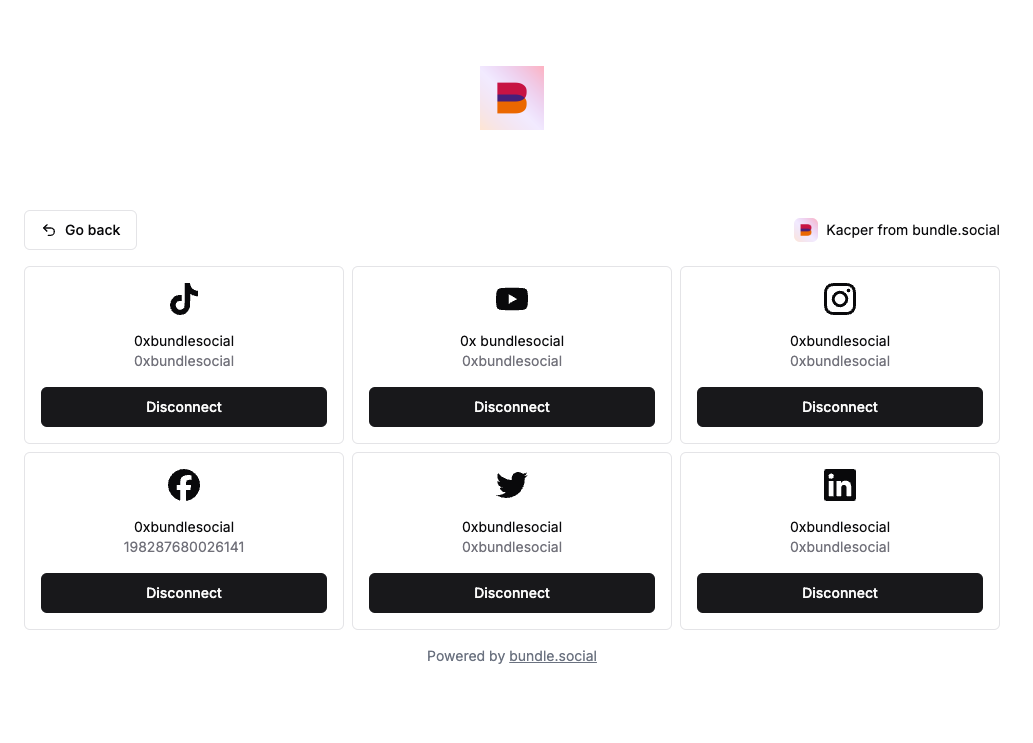 For return query parameters, see [Callback Parameters](/api-reference/connect-social-accounts/callbacks).